Controls / PRACTICAL GUIDE
Adding a finger can separate actions, but it also changes the way you hold the phone. Decide based on a specific limitation in your current layout.
Identify the conflict first
Write down the two actions you cannot comfortably perform together. If the issue is simply a small or poorly placed button, moving that button may solve it without changing grip. A three-finger arrangement is most useful to evaluate when an action repeatedly interrupts aiming or movement. Start with the problem rather than treating the number of fingers as a measure of skill.
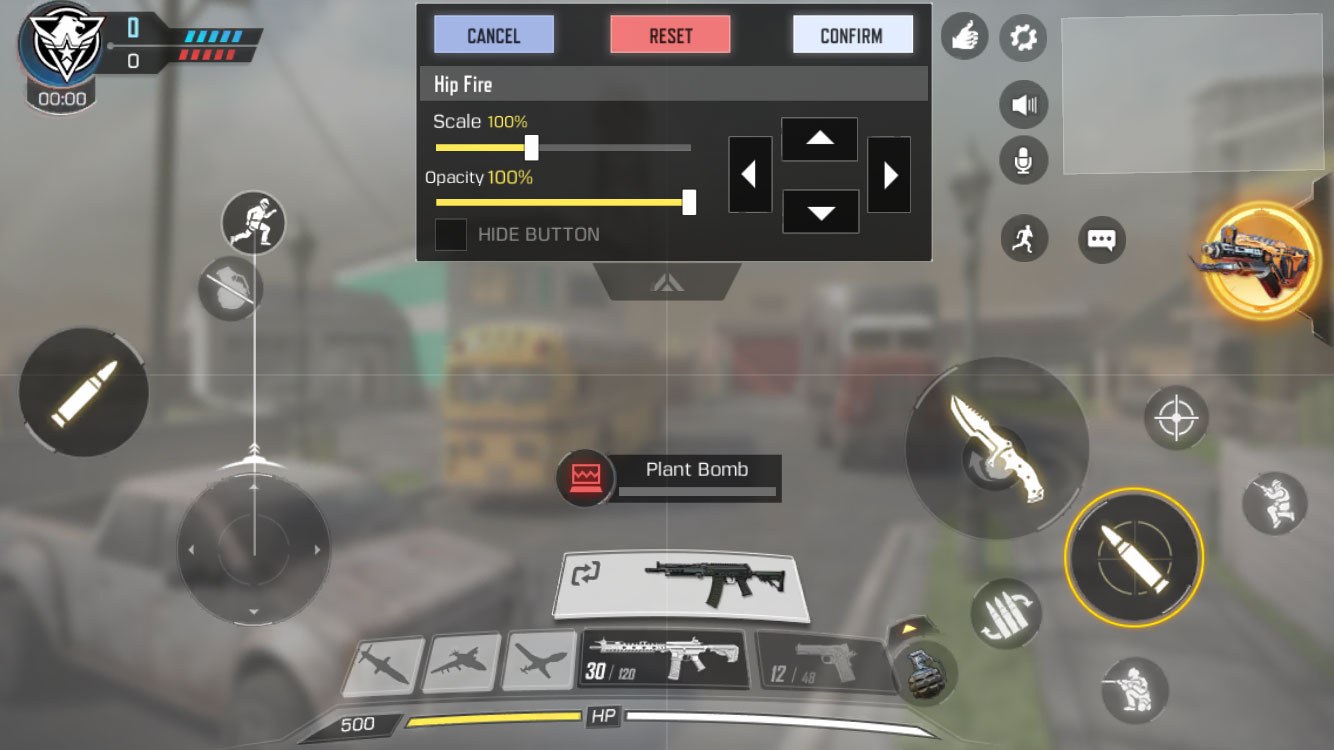
Move one job to the new finger
Keep most of the familiar layout intact and assign the additional finger one clearly defined action. This makes it easier to tell whether the new grip helps. Avoid copying every position from a creator whose phone, hand size and posture differ. The official custom-layout illustration shows the idea of editable controls, not a recommended modern three-finger preset.
Use a low-pressure comparison
Try a short sequence with the old grip and then the new one in a practice setting. Notice missed inputs, grip shifts and comfort rather than only speed. Learning a new arrangement takes time, so the first attempt is not a fair performance verdict. Equally, repeated discomfort is not a reason to force yourself to continue until the layout works.
Keep an easy route back
Save the old layout before making changes. If the extra finger adds complexity without resolving the original conflict, restore the previous setup. You can revisit the experiment later with a more precise question. A comfortable two-thumb arrangement is a valid choice, especially when it lets you focus on movement and decisions instead of finding buttons.